Home Lab: My P2P Zero-Trust Sync (Syncthing & Raspberry Pi)
🚀 Home Lab: My P2P Zero-Trust Sync (Syncthing & Raspberry Pi)
Hi everyone! In my last article, I introduced my CasaOS setup and teased my next move: getting rid of my last files stored in the public cloud.
I am not at 100% yet, but every brick we put in place gets us closer to the final goal: zero cloud. Today, we are tackling a big one: replacing Dropbox and Google Drive with a 100% self-hosted solution managed by us: Syncthing.
The idea? Keep the smoothness of instant sync, but with cybersecurity-grade security and full data sovereignty.
🏗️ Architecture: The Raspberry Pi As A Gateway
Unlike a traditional cloud platform, Syncthing is peer-to-peer (P2P). There is no mandatory central server... but for convenience, we will bend the rules a little.
My architecture relies on three pillars:
The NAS (Raspberry Pi): My always-on node running CasaOS. It acts as a permanent buffer.
Windows PCs: Equipped with SyncTrayzor for seamless OS integration.
The BEP protocol: The engine that moves data efficiently.
Why place the Pi in the middle? If my desktop is off and I work on my laptop, the Pi receives updates. As soon as the desktop turns on, it syncs from the Pi. It is transparent, ultra-fast, runs 24/7, and consumes very little power.
⚙️ Under The Hood: Technical DNA
Syncthing is a serious piece of engineering. Here is why it performs so well:
Language: Go. Like CasaOS, Syncthing is written in Go. That is what makes it lightweight enough not to overload my Raspberry Pi, even with thousands of files.
Protocol: BEP (Block Exchange Protocol). Here, you do not resend a full 1 GB file for one modified character. Syncthing splits files into blocks and syncs only what changed. Maximum efficiency.
SyncTrayzor (Windows). It is the essential wrapper on PC. It provides a taskbar icon, native notifications, and most importantly a filesystem watcher that instantly detects when I save a file.
🛠️ Installation: Docker Method (Clean)
On my Raspberry Pi running CasaOS, I could use the App Store, but to keep control over volumes and networking, I prefer Docker Compose. It is cleaner for maintenance.
Here is an example configuration file for CasaOS:
services:
  syncthing:
    image: syncthing/syncthing:latest
    container_name: syncthing
    hostname: nas-pi-syncthing
    environment:
      - PUID=1000
      - PGID=1000
    volumes:
      - /DATA/AppData/syncthing:/var/syncthing/config
      - /DATA/Storage:/var/syncthing/data # Define paths based on your environment
    ports:
      - 8384:8384 # Web interface (GUI)
      - 22000:22000/tcp # Data transfer
      - 22000:22000/udp # Data transfer (QUIC)
      - 21027:21027/udp
    restart: unless-stopped
Once deployed, the interface is available on port 8384. That is where the magic starts.
⚙️ Configuration: Step-By-Step Guide
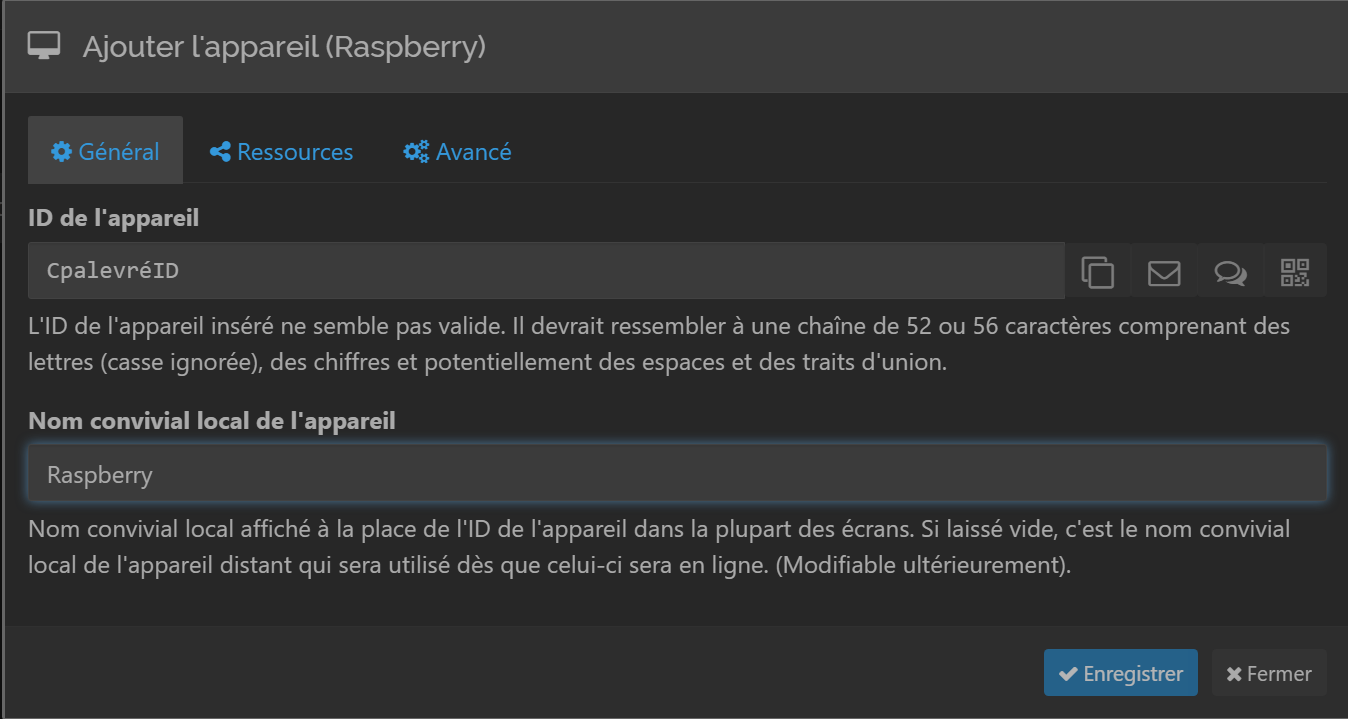
1. Handshake (Device ID Exchange)
Everything starts with identity. Each machine has a unique key (Device ID). For my main PC to communicate with the Raspberry Pi, I first retrieve the Pi ID and add it to my PC. That is the core of zero trust: no explicit invite, no connection.
2. Folder Sharing (Example: CurseForge)
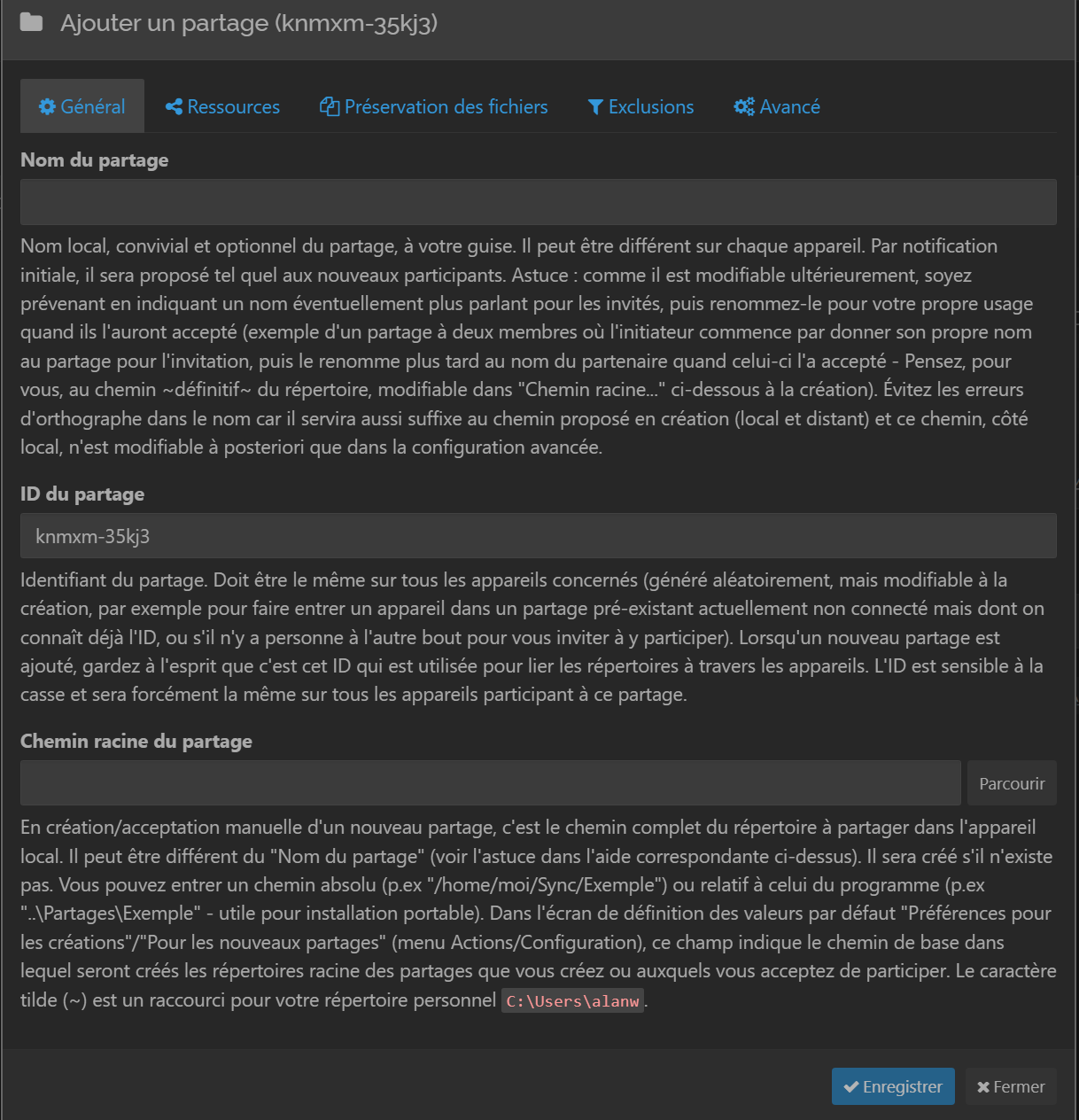
Once the link is established, we move on to sharing. Let us take a practical use case: my CurseForge game instances. I want my mods and settings available everywhere without manual copy-paste.
On PC #1, I create the folder in Syncthing.
I select my local CurseForge directory and send it to the Raspberry Pi.
3. Closing The Loop
This is where the Raspberry Pi acts as a gateway. In the Pi interface, I accept the incoming folder (stored on NAS storage). Then I add my second PC to the list of authorized devices for this folder.
On PC #2, a notification appears: I only need to accept the share and choose where to store files. Done. My instances are synced everywhere through my secure node.
🛡️ Security Focus: Cyber Perspective
This is where I become very picky. Syncthing is designed with a privacy-by-design mindset:
TLS 1.3 Encryption: All traffic is encrypted. Even if someone sniffs your local network or Wi-Fi, they only see noise.
Mutual Authentication: For two devices to communicate, they must add each other using their unique IDs. That is zero trust applied to storage.
Perfect Forward Secrecy (PFS): Session keys are ephemeral. If one key is compromised one day, past exchanges remain protected.
No Third-Party Server: Your data never touches a company server. Even when using relays to traverse NAT, data remains end-to-end encrypted.
🎮 My Priority Use Cases
1. Dev Projects And Scripts
No more forced USB transfers between rooms. My script folders sync in two seconds between desktop and laptop.
2. KeePass Vault
This is the ultimate use case. My .kdbx database is synced everywhere. Syncthing handles conflicts natively: if I edit a password on two machines at once, it creates a conflict file instead of overwriting my data.
3. Game Saves
For games without cloud save (or older titles), I sync folders directly from AppData. I start on my main setup and finish in bed on the laptop. (Yes, I started this research mainly because of that.)
🚀 Conclusion
If you are already comfortable with Linux and have a spare Raspberry Pi, Syncthing is a must-have for your home lab. It is robust, free, and gives you back control of your own digital house.
It is exactly the kind of tool that, once configured, disappears into the background while saving you daily.